Look up and know exactly what you are seeing.
Sky Clock tells you what is worth looking at in the night sky right now, from exactly where you are standing. No telescope, no jargon, no account.
iPhone and iPad · Requires iOS 17 · The sky map is free forever
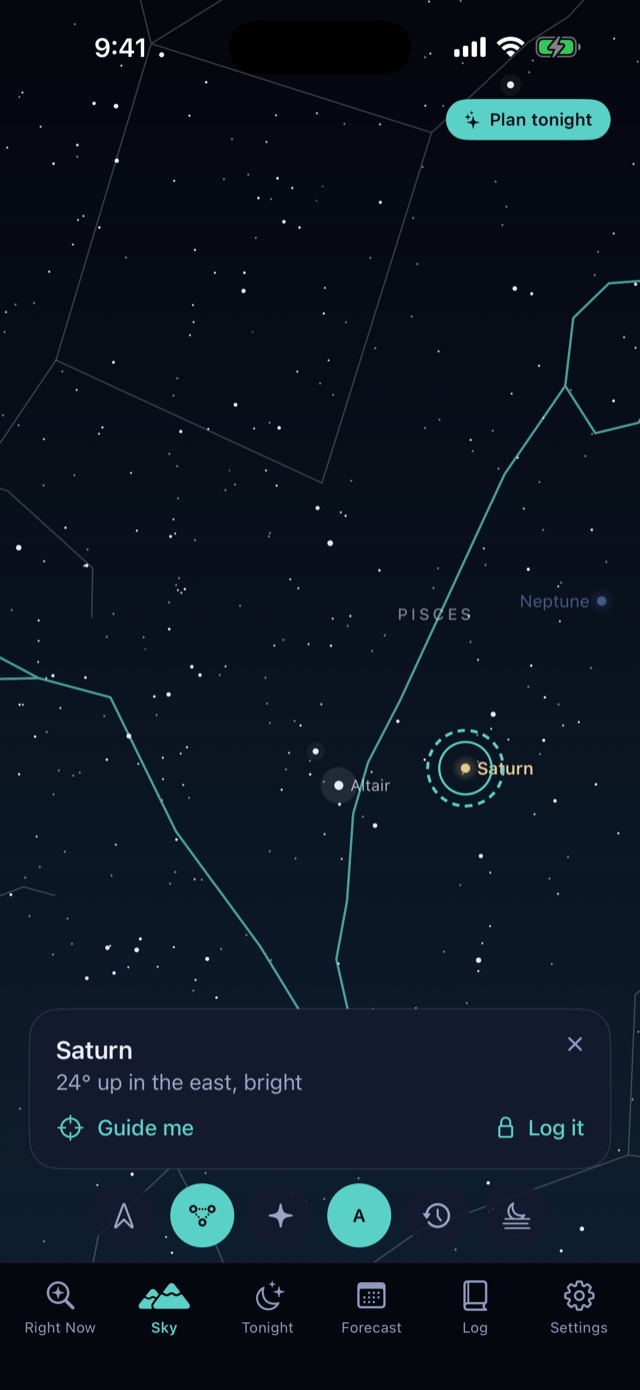
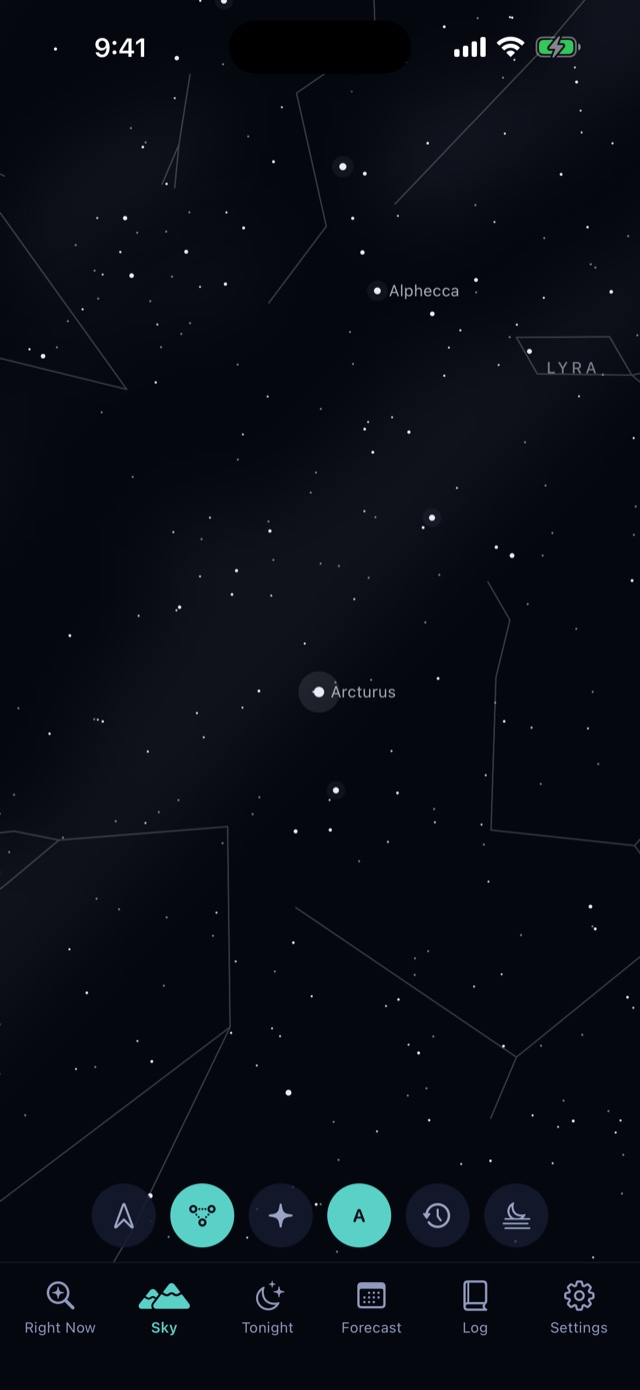
Point your phone at the sky.
Hold it up and the screen shows what is in front of you, moving as you move. Tap anything to find out what it is.
Guide me to it
- Ask the app to guide you to anything and follow the pulse in your hand until it is on the screen.
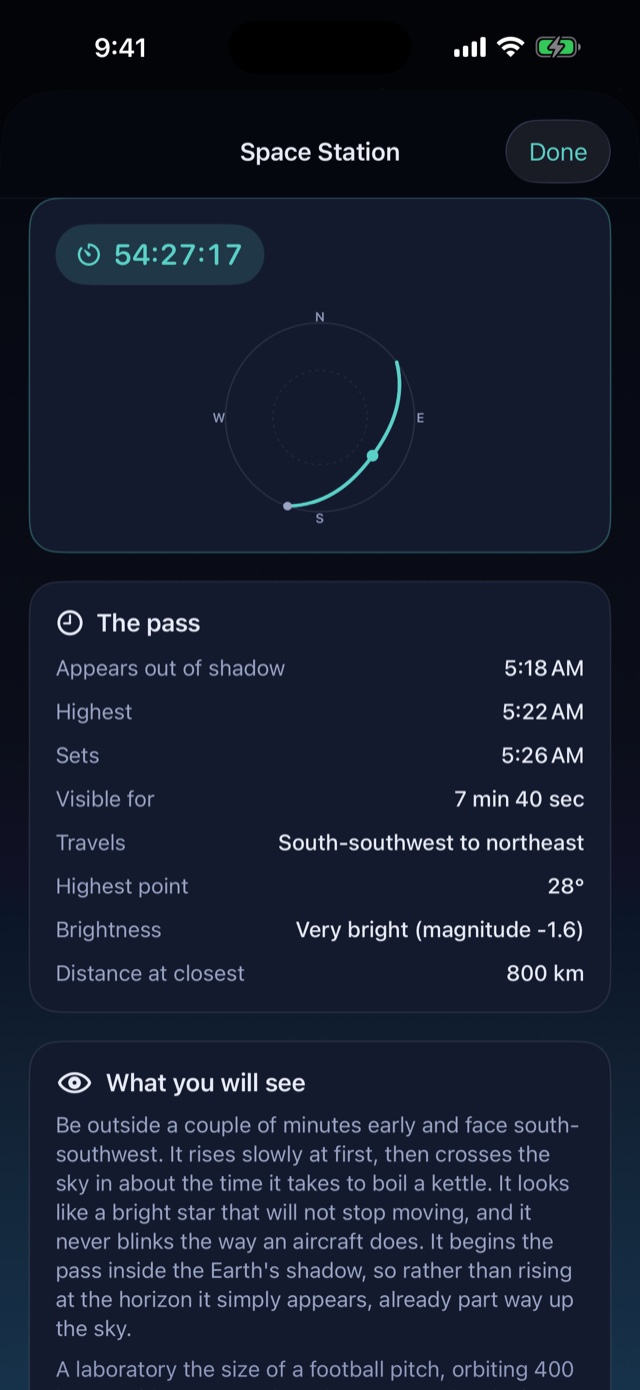
- The Space Station's next pass is drawn as an arc across the real sky, so you know where to stand and which way to look.
- Compass off by a few degrees? Point at something bright, tap it once, and the correction is remembered. Other apps forget it when you close them.
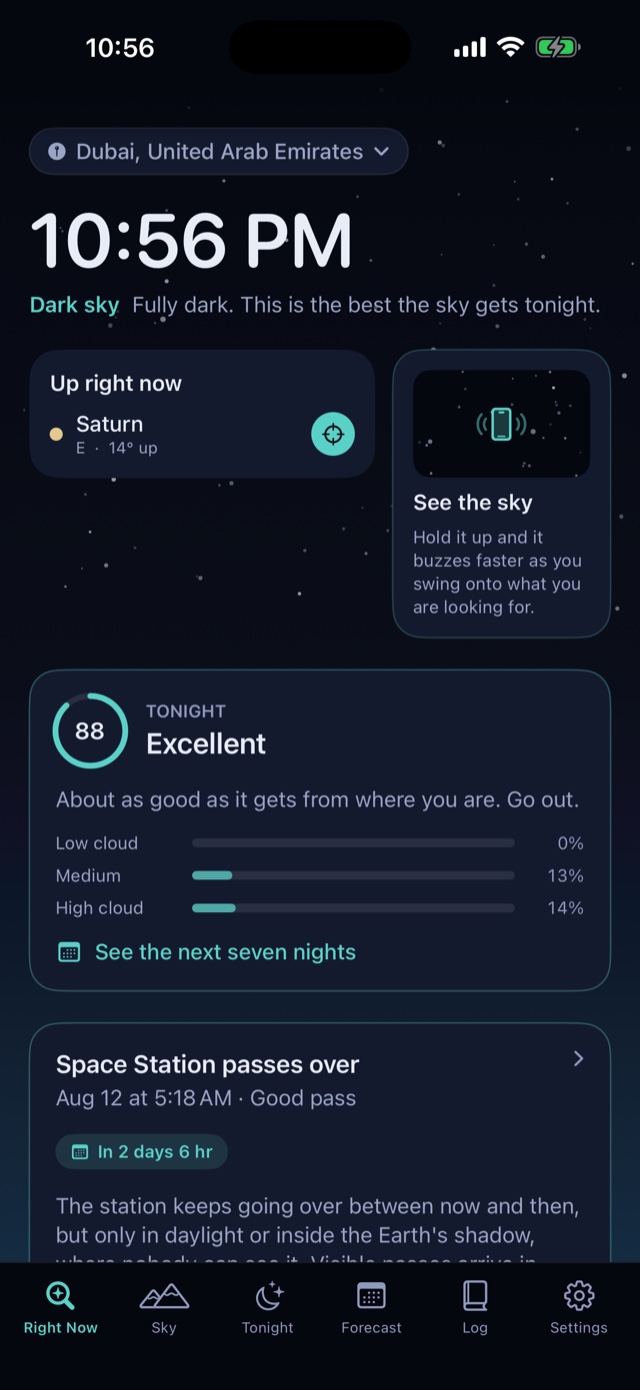
What is up right now
- Which planets are visible this minute and where to look: "Saturn, 14° up in the east".
- Live Moon phase and illumination, drawn from the real numbers rather than a stock picture.
- The next time the Space Station flies over you, with a countdown and the direction to face.
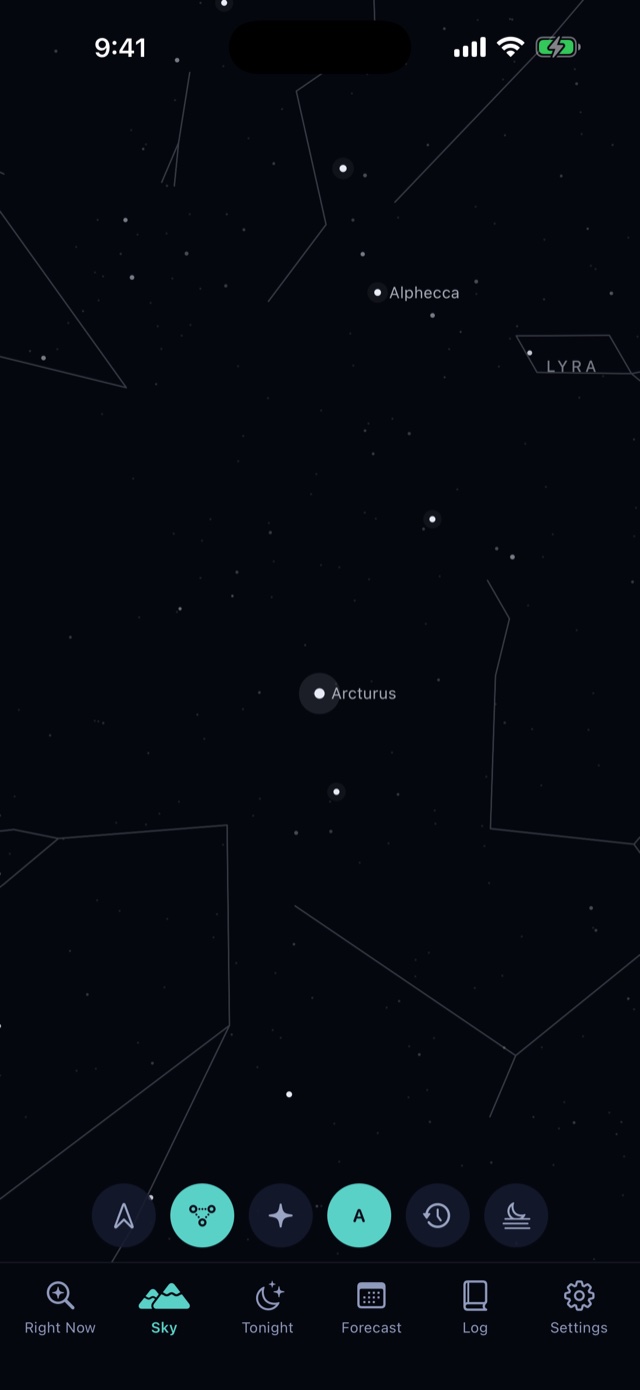
Only the stars you could really see.
Tell Sky Clock how much light pollution you have and it dims the chart to match. When you look up and count six stars, the six on screen are the same six.
Plan the night before you go out.
Everything above is free. Plus is for the nights you are planning, not the sky you are looking at right now.
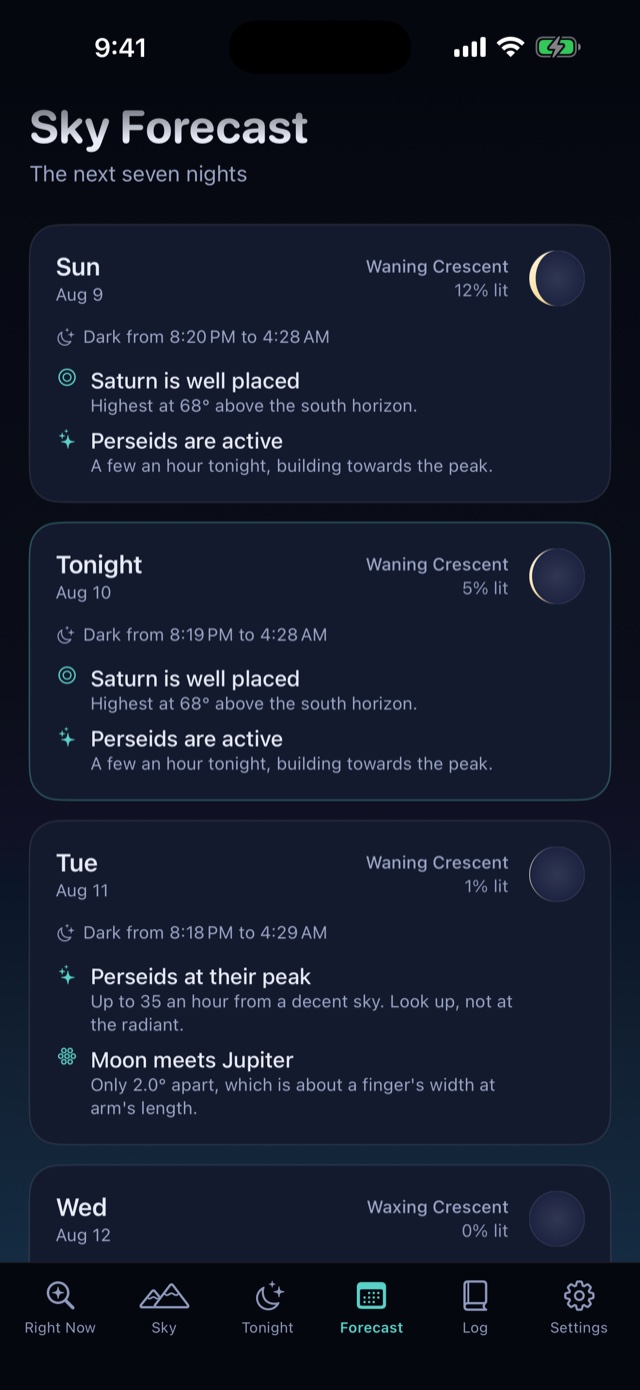
- Tonight's timeline from dusk to dawn: twilight, moonrise, every planet window, and the darkest moonless stretch picked out for you.
- A seven night forecast so you never miss a bright Space Station pass, a close pairing of planets, or a shower peak.
- Cloud that means something. Low, medium and high cloud are scored separately, because high cirrus dims the faint stars while low stratus ends the night.
- One alert a day at most, and only when the forecast is clear and there is genuinely something up there.
- A stargazing log. Tap "I saw it" anywhere in the app, add notes and photos, and watch your firsts add up. It syncs through your own iCloud account.
The measurements, not a pretty guess.
Accurate to arcseconds
Positions are checked against JPL Horizons, and pass predictions use SGP4, the same model the satellite tracking world runs on.
Works completely offline
Every position is computed on your device from your location and the clock. Nothing is fetched from a server to draw your sky.
Red light mode
Red only, covering every last pixel of the interface, so your eyes stay adapted to the dark once you are outside.
Sky Clock does not collect anything that identifies you.
No account. No advertising. No tracking you across other apps. Anonymous usage analytics only, with anything personal hidden before it leaves your phone.
- Your location is used on your device to work out what is above you, and it is never sent to us. Prefer not to share it? Type a place in by hand and every feature works the same.
- Your observation log is yours. It lives on your device and, if you are signed in, in your own private iCloud database. Nobody else can read it, including the developer.
- Four network requests, and no others: a weekly public orbit file so pass times stay accurate, a public space weather forecast for the aurora, your cloud forecast from Apple Weather, and anonymous usage analytics. What the analytics record.
Pricing
The sky map, the star chart and what is up right now are free forever, with no advertising and nothing withheld.
Sky Clock
The sky view, all 88 constellations, every naked-eye star, live planet positions, Moon phase, and the next Space Station pass.
Plus, yearly
Tonight's timeline, the seven night forecast, alerts and the observation log. The free trial runs for 14 days.
Plus, monthly
The same as yearly, billed monthly. No trial on this plan.
Payment is charged to your Apple Account at confirmation of purchase. The subscription renews automatically unless it is cancelled at least 24 hours before the end of the current period, and your account is charged for renewal within 24 hours of the end of that period. Manage or cancel it any time in your Apple Account settings. Prices are in US dollars and may vary by region. See the Terms of Service.
Questions
Do I need a telescope?
No. Sky Clock is built around what you can see with your own eyes from where you are standing. It only ever draws stars bright enough for you to actually pick out, given your light pollution and tonight's Moon.
Does it work without a signal?
Yes. Every position is computed on your device using standard astronomical algorithms, so the sky view, the star chart and the planet positions all work in a field with no bars. Only the cloud forecast and the aurora forecast need a connection, and both fall back to what they last downloaded.
Do I need an account?
There is no account and no sign-up. If you subscribe, Apple handles it, and if you use the observation log it syncs through your own iCloud rather than through us.
What makes the forecast different from a weather app?
An ordinary weather app gives you one cloud percentage. Sky Clock scores low, medium and high cloud separately, because they do not cost the same: high cirrus is a veil that dims the faint stars and leaves the Moon and planets perfectly visible, while low stratus ends the night. It then folds in moonlight over the genuinely dark hours, your light pollution and what is actually up, into one number.
Will it wake me up in the middle of the night?
Only for the aurora, which is the one thing people are genuinely upset to have missed. Everything else arrives at most once a day, in the late afternoon, while there is still time to change your evening.
Can I cancel?
Any time, in your Apple Account settings. Cancelling stops the renewal and Plus stays active until the end of the period you have already paid for. The free half of the app keeps working forever either way.